

Register the server
Run the following in PowerShell after replacingYOUR_PDFCO_API_KEY locally:

Register PDF.co in Windows PowerShell, replacing the API-key placeholder locally.
If
pdfco is already registered, inspect the existing entry instead of adding a duplicate. Keep terminal history and screenshots containing your real key private.
Connect and check the tools
/mcp and confirm that pdfco is connected. Check that tools such as pdf_to_text are available.
Run a sample conversion
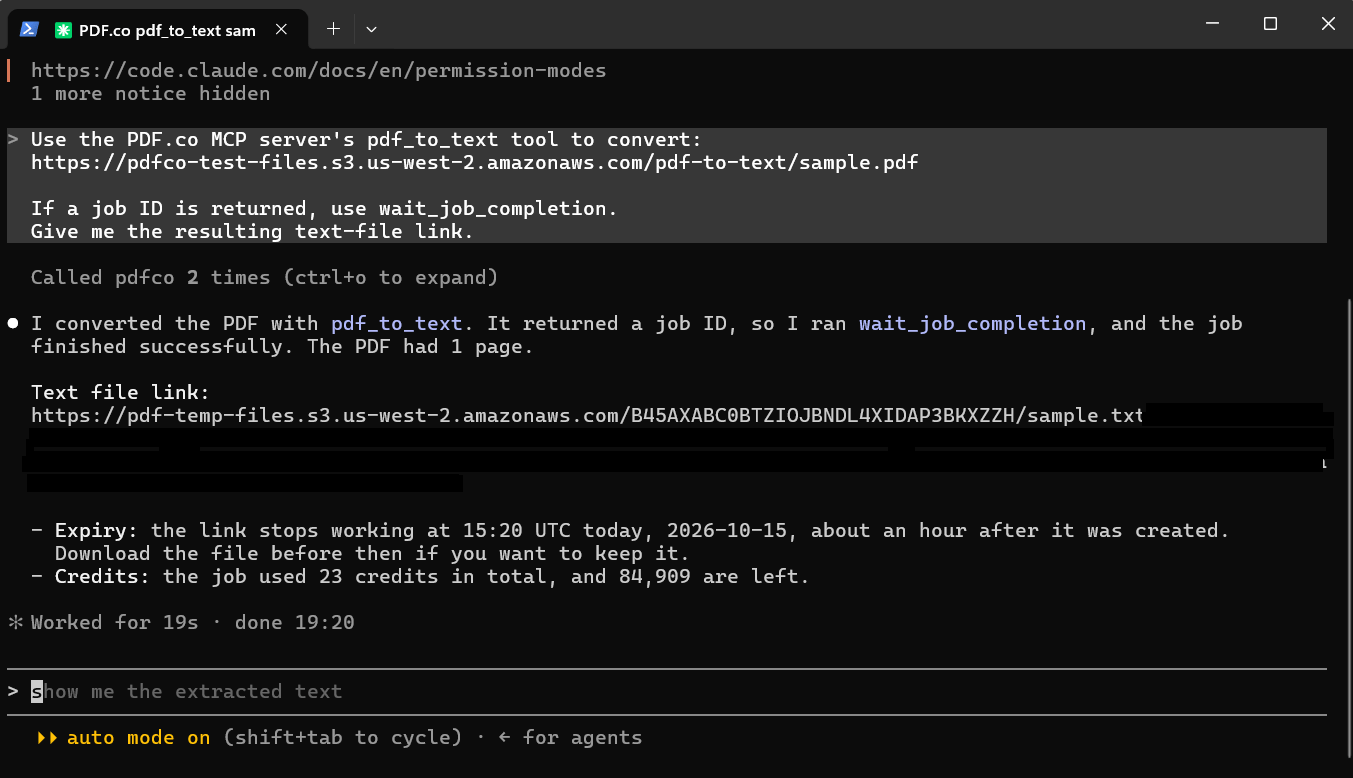
Claude Code reports a completed PDF-to-text conversion, with signed output URL details hidden.
claude, and repeat the sample prompt.
Troubleshooting
- If PowerShell cannot find
claudeoruvx, reopen it after installation and check the prerequisite commands again. - Keep all Claude Code options before
--; the executable and package name belong after it. - Keep
--transport stdiobetween the--envvalue andpdfco; otherwise, the server name can be interpreted as another environment variable. - If a different
pdfcoconfiguration is used in one project, check local or project-scoped entries. They take precedence over user scope. - If tools load but a request fails, check the key and the error returned by PDF.co.